Description
Take a complete tour of Acumatica Accounts Receivable (AR) in this in-depth walkthrough designed for finance teams, ERP users, and businesses looking to streamline cash flow and customer billing. This video covers everything from AR dashboards to customer setup, payment processing, overdue charges, and recurring transactions—giving you a full overview of how Acumatica automates and simplifies AR management.
In this Acumatica AR tutorial, you’ll learn how to:
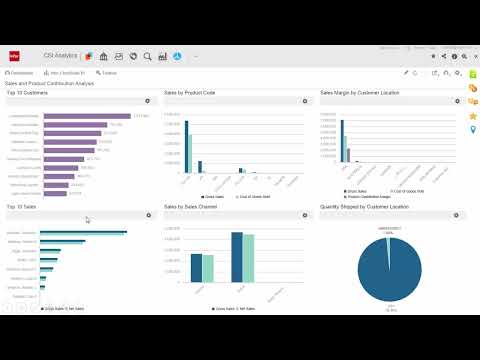
✔ Navigate the Acumatica Accounts Receivable dashboard to monitor KPIs, overdue invoices, and action items
✔ Configure AR preferences, including terms, payment methods, currencies, customer classes, and overdue charge rules
✔ Set up and manage customers, financial settings, billing rules, contacts, activities, and credit holds
✔ Enter and apply customer payments, including auto-apply, partial payments, and undeposited funds
✔ Create invoices for services, non-stock items, labor, and software maintenance
✔ Manage deferrals, deferred revenue schedules, and commissionable items
✔ Set up and automate recurring transactions and monthly billing
✔ Generate and email customer statements, overdue charges, and dunning letters
✔ Use side panels to quickly access customer details, activity history, sales orders, payments, and communication records
✔ Run month-end AR processes efficiently using Acumatica’s scheduling and automation tools
This comprehensive Accounts Receivable overview helps businesses reduce manual data entry, improve billing accuracy, and accelerate cash flow using Acumatica Cloud ERP.
🔗 Learn more or request a demo: Visit aswius.com
Keywords
Acumatica Accounts Receivable, Acumatica AR tutorial, ERP accounting automation, AR invoice processing, Acumatica payments, recurring billing ERP, deferred revenue Acumatica, AR month-end close, customer billing software, cloud ERP finance module, Acumatica training, AR workflow automation